
IAM (Identity and Access Management) is the backbone of AWS security. Every API call, every resource access, every cross-account interaction is gated by IAM. Yet it remains one of the most misunderstood services in the AWS ecosystem. Misconfigured IAM policies are consistently among the top causes of cloud security incidents.
This post covers everything from the raw JSON anatomy of a policy to production-ready patterns — and includes real practice scenarios I worked through to demonstrate hands-on understanding.
Policy Anatomy
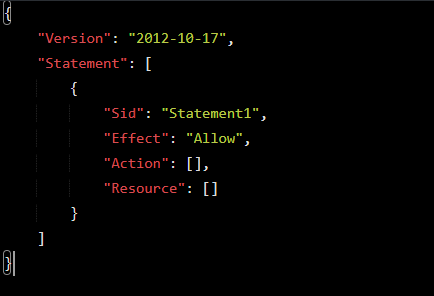
Every IAM policy is a JSON document. Here is the full structure with every element explained:
{

  "Version": "2012-10-17",

  "Statement": [

    {

      "Sid": "HumanReadableStatementId",

      "Effect": "Allow",

      "Principal": { "AWS": "arn:aws:iam::123456789012:role/MyRole" },

      "Action": ["s3:GetObject", "s3:PutObject"],

      "Resource": ["arn:aws:s3:::my-bucket/*"],

      "Condition": {

        "StringEquals": { "aws:RequestedRegion": "us-east-1" }

      }

    }

  ]

}
Version
Always use “2012-10-17”. The older version does not support policy variables like ${aws:username}. Omitting this is one of the most common silent bugs in production.
Statement
An array [] of permission blocks. Each block is evaluated independently. A policy can contain multiple statements with both Allows and Denies.
Sid
Optional but strongly recommended. Used for readability, debugging in CloudTrail, and programmatic policy management. Must be alphanumeric with no spaces.
Effect
Binary: “Allow” or “Deny”. The only two valid values. An explicit Deny always wins — this is the most important rule in IAM policy evaluation.
Principal
Defines who the policy applies to. Only used in resource-based policies and trust policies — never in identity-based policies. Can be an AWS account, IAM user, IAM role, federated user, or AWS service.
Action
Defines what API operations are permitted or denied. Follows the format service:Operation. Supports wildcards (s3:*, s3:Get*). Case sensitive — s3:GetObject not s3:getobject.
Resource
Defines what the action applies to, expressed as an ARN. Always scope this down — never use * unless truly necessary. S3 requires both the bucket AND objects ARN.
Condition
The most powerful and underused element. Adds conditional logic using operators and condition keys. Multiple conditions are ANDed together; multiple values within one key are ORed.
Pro Tip: Condition is optional in syntax but mandatory in spirit. Every production policy should have at least a region or MFA condition where applicable.
JSON Data Types — [] vs {}
One of the most common sources of syntax errors is using the wrong bracket type. Here is the definitive reference:
| Element | Type | Brackets | Why |
| Statement | Array | [ ] | List of multiple statement objects |
| Action / NotAction | Array or String | [ ] or “” | List of API operations |
| Resource / NotResource | Array or String | [ ] or “” | List of ARNs |
| Principal | Object or String | { } or “*” | Named type (AWS/Service/Federated) + value |
| Condition | Object | { } | Named operator → key → value structure |
| StringEquals / BoolIfExists | Object | { } | Named condition key → value pairs |
The Rule: Is it a list of similar items? Use [ ]. Is it named properties/structure? Use { }.
Policy Types & Evaluation Logic 5X
Identity-based policies and resource-based policies are used to grant permissions (Allow access).
Permission boundaries and SCPs are used to control and restrict permissions (guardrails), not grant them.
Identity-Based Policies
Attached to IAM identities (users, groups, roles). Define what that identity can do. No Principal element. Two subtypes:
- AWS Managed Policies — Created and maintained by AWS. Convenient but often over-permissive. Never use without auditing.
- Customer Managed Policies — You own them. Versionable, reusable, auditable. The gold standard for production.
- Inline Policies — Embedded directly into a single identity. Use sparingly — they resist governance tooling.
Resource-Based Policies
Attached directly to a resource (S3 bucket, SQS queue, KMS key). Define who can access the resource. Always contain a Principal element. Enable cross-account access natively.
Permission Boundaries
A managed policy attached to an identity that defines the maximum permissions it can ever have. Effective permissions are the intersection of the identity policy AND the boundary. Critical for safely delegating IAM administration.
Service Control Policies (SCPs)
AWS Organizations feature. Do not grant permissions — they restrict the maximum available permissions for all identities in an account, including root. They are organizational guardrails, not permission grants.
Session policies
Pass advanced session policies when you use the AWS CLI or AWS API to assume a role or a federated user.
The Evaluation Logic
IAM Policy Evaluation Order:
- Explicit DENY anywhere? → DENY (stop immediately)
- SCP allows it? → continue
(if not → implicit DENY)
- Resource-based policy allows it? → may ALLOW
- Permission Boundary allows it? → continue
(if not → implicit DENY)
- Identity-based policy allows it? → ALLOW
(if not → implicit DENY)
Critical Nuance: For cross-account access, BOTH the resource-based policy (in the resource account) AND the identity-based policy (in the caller account) must allow the action. One side alone is not enough.
Hands-On Practice Scenarios
The following scenarios were written from scratch as practice exercises, then reviewed and refined. Each one demonstrates a specific real-world IAM pattern.
Scenario 1: Allow a Role to Read from a Specific S3 Bucket
An identity-based policy granting read access to a specific S3 bucket. Key learning: no Principal in identity-based policies, and S3 always requires both the bucket ARN and the objects ARN.
{

  "Version": "2012-10-17",

  "Statement": [

    {

      "Sid": "AllowRoleToReadFromFinanceBucket",

      "Effect": "Allow",

      "Action": [

        "s3:GetObject",

        "s3:ListBucket"

      ],

      "Resource": [

        "arn:aws:s3:::financeFolder",

        "arn:aws:s3:::financeFolder/*"

      ]

    }

  ]

}
Scenario 2: Deny All Actions Outside us-east-1
A region restriction guardrail. Key learning: use StringNotEquals (not StringEquals) when the requirement says outside or except. This policy must be paired with a separate Allow policy.
{

  "Version": "2012-10-17",

  "Statement": [

    {

      "Sid": "DenyAllActionsOutsideUSEast1",

      "Effect": "Deny",

      "Action": "*",

      "Resource": "*",

      "Condition": {

        "StringNotEquals": {

          "aws:RequestedRegion": "us-east-1"

        }

      }

    }

  ]

}
Scenario 3: Allow EC2 Describe, Deny Terminate
A single policy with two statements — one Allow and one Deny. Key learning: when Allow and Deny cover the same service, keep them in one policy. Explicit Deny is future-proof even when implicit deny already exists.
{

  "Version": "2012-10-17",

  "Statement": [

    {

      "Sid": "AllowEC2DescribeActions",

      "Effect": "Allow",

      "Action": "ec2:Describe*",

      "Resource": "*"

    },

    {

      "Sid": "DenyEC2TerminateInstances",

      "Effect": "Deny",

      "Action": "ec2:TerminateInstances",

      "Resource": "*"

    }

  ]

}
Why explicit Deny when implicit Deny already blocks it? If someone adds ec2:* Allow in the future, the explicit Deny guarantees TerminateInstances remains blocked. Explicit Deny is permanent; implicit Deny can be overridden by any Allow.
Scenario 4: Cross-Account S3 Access
Cross-account access requires two policies — one in each account. This is AWS enforcing mutual consent: the resource owner must grant access AND the consuming identity must be permitted to reach outside its own account.
Policy 1 — Account A: S3 Bucket Policy (Resource-Based, has Principal)
{

  "Version": "2012-10-17",

  "Statement": [

    {

      "Sid": "AllowCrossAccountS3Access",

      "Effect": "Allow",

      "Principal": {

        "AWS": "arn:aws:iam::111111111111:role/ConsumerRole"

      },

      "Action": ["s3:GetObject", "s3:ListBucket"],

      "Resource": [

        "arn:aws:s3:::my-bucket",

        "arn:aws:s3:::my-bucket/*"

      ],

      "Condition": {

        "StringEquals": { "aws:PrincipalOrgID": "o-xxxxxxxxxx" },

        "Bool": { "aws:SecureTransport": "true" }

      }

    }

  ]

}
Policy 2 — Account B: Identity Policy on ConsumerRole (No Principal)
{

  "Version": "2012-10-17",

  "Statement": [

    {

      "Sid": "AllowReadFromAccountABucket",

      "Effect": "Allow",

      "Action": ["s3:GetObject", "s3:ListBucket"],

      "Resource": [

        "arn:aws:s3:::my-bucket",

        "arn:aws:s3:::my-bucket/*"

      ]

    }

  ]

}
How AWS knows the bucket is in another account: S3 bucket names are globally unique across all AWS accounts. AWS looks up who owns the bucket name and finds it belongs to a different account — that mismatch automatically triggers cross-account evaluation, requiring both policies to allow the action.
Scenario 5: MFA-Enforced Admin
A two-phase pattern. Without MFA the identity can only manage their own MFA device. With MFA they get full access. This is the canonical break-glass admin pattern.
{

  "Version": "2012-10-17",

  "Statement": [

    {

      "Sid": "AllowMFAManagement",

      "Effect": "Allow",

      "Action": [

        "iam:CreateVirtualMFADevice",

        "iam:EnableMFADevice",

        "iam:GetUser",

        "iam:ListMFADevices",

        "iam:ResyncMFADevice"

      ],

      "Resource": "*"

    },

    {

      "Sid": "DenyEverythingWithoutMFA",

      "Effect": "Deny",

      "NotAction": [

        "iam:CreateVirtualMFADevice",

        "iam:EnableMFADevice",

        "iam:GetUser",

        "iam:ListMFADevices",

        "iam:ResyncMFADevice",

        "sts:GetSessionToken"

      ],

      "Resource": "*",

      "Condition": {

        "BoolIfExists": {

          "aws:MultiFactorAuthPresent": "false"

        }

      }

    }

  ]

}
Why BoolIfExists not Bool? If the MFA context key doesn’t exist at all in the request (e.g., federated sessions), Bool would fail silently and the Deny would not trigger — a security hole. BoolIfExists only evaluates if the key is present, making the policy safe across all session types.
Why NotAction on the Deny? Using Action: * on the Deny would block MFA setup actions too — locking the user out with no way to even configure MFA. NotAction carves out the MFA management actions so they always remain accessible.